Modern content creation often requires multiple disciplines at once. Editors are no longer simply cutting footage together. They are cleaning audio, adjusting color, adding subtitles, creating graphics, tracking objects, stabilizing footage, and exporting content for multiple platforms. In many workflows, that means constantly switching between different applications. That process can become exhausting.
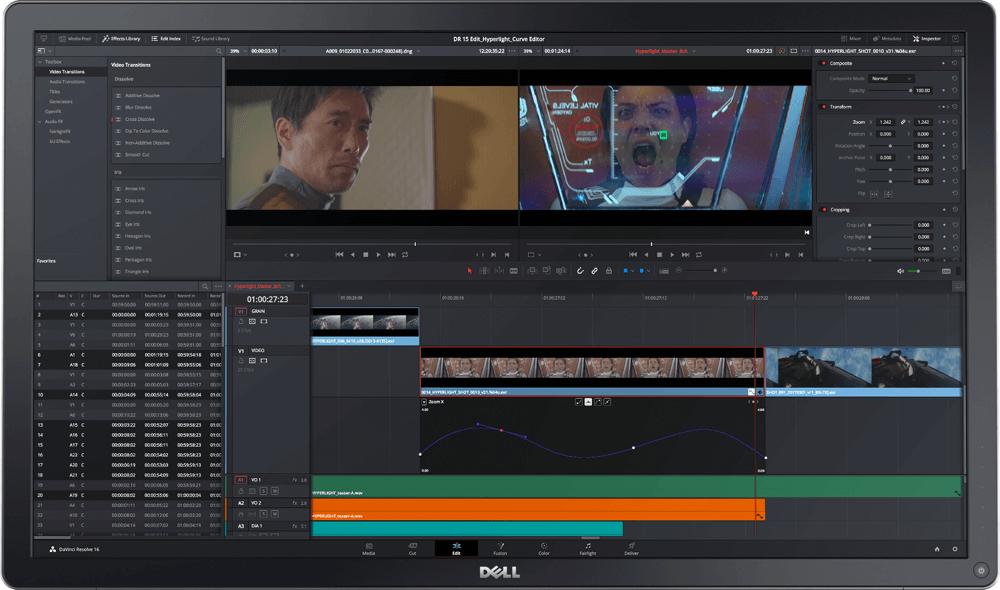
DaVinci Resolve solves much of this problem by integrating editing, color grading, audio production, and visual effects into a single application. This integration changes the editing experience significantly. An editor can cut footage, improve dialogue audio, add visual effects, grade the image, and export the final project without leaving the software. That continuity keeps projects moving efficiently. For independent creators, this is especially valuable because many people are working alone or in very small teams. A solo creator handling every stage of production benefits enormously from having everything centralized.
The software’s audio tools are particularly notable. The Fairlight page contains professional audio mixing features that would once have required separate dedicated programs. Creators can remove background noise, balance dialogue levels, add compression, and improve overall sound quality directly inside the project timeline. This all in one approach also makes collaboration easier. Teams can share projects without constantly transferring files between different software environments.
Color Grading and the Cinematic Look
DaVinci Resolve has long been associated with color grading. Even before it became a full editing suite, the software was respected throughout the film industry for its advanced grading capabilities. Today, those tools remain one of its strongest features. Color grading plays a massive role in how audiences emotionally experience a video. Subtle shifts in contrast, temperature, saturation, and shadow detail can completely transform the atmosphere of a scene.
Warm tones can create nostalgia. Cold blue grading can create tension. High contrast images can feel dramatic and cinematic. Softer grading can feel natural and documentary focused. DaVinci Resolve gives creators an enormous amount of control over these visual elements. At first glance, the Color page may appear intimidating because of its professional tools and node based workflow. However, many editors quickly discover that the system becomes intuitive once they understand the basics.
Nodes allow editors to organize adjustments cleanly. Instead of stacking effects chaotically, changes can be separated into individual stages. Exposure adjustments, skin tone corrections, background grading, sharpening, and stylistic effects can all remain organized.
This structure gives editors precision while maintaining flexibility. For content creators who want a cinematic visual identity, these tools are incredibly valuable.
The Rise of AI Assisted Editing
Artificial intelligence has become increasingly common in creative software. In video editing, AI tools are helping automate repetitive tasks that once consumed hours of manual work.
DaVinci Resolve has embraced this shift through features that improve speed without removing creative control from the editor. Among these tools, Magic Mask stands out as one of the most impressive.
What Makes Magic Mask So Important
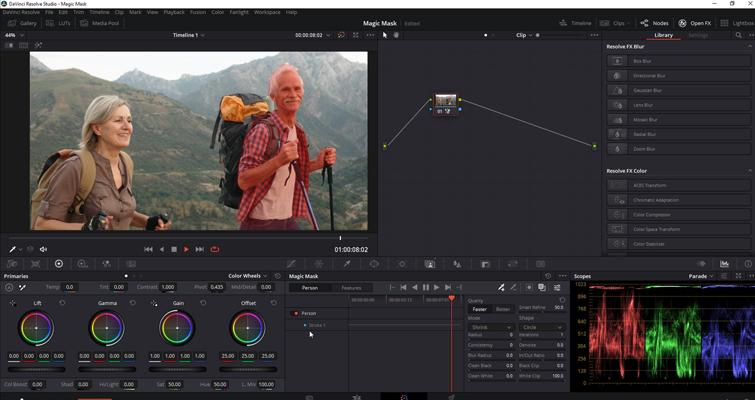
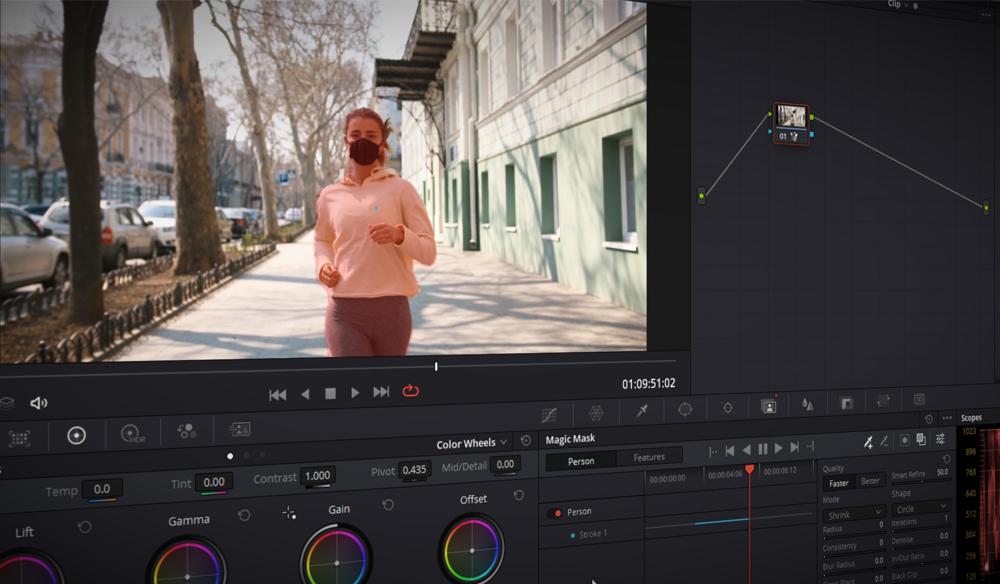
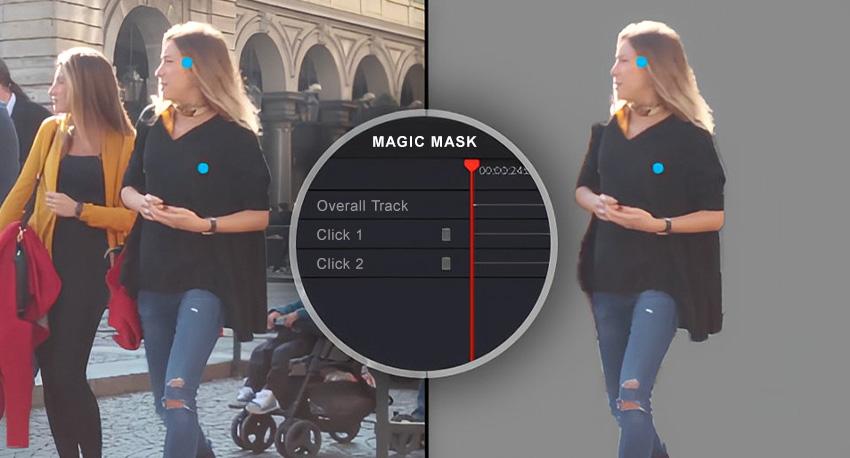
Magic Mask is an AI powered masking and tracking tool that allows editors to isolate subjects inside video footage with remarkable speed. Traditionally, isolating a person or object required rotoscoping. Editors would manually create masks frame by frame, adjusting shapes continuously as the subject moved throughout the shot. This process could take an enormous amount of time, especially for complex scenes involving hair movement, changing lighting, or overlapping objects.
Magic Mask dramatically simplifies that workflow.
The editor paints a rough selection over the subject they want to isolate. The software then analyzes the footage and attempts to track the selected subject automatically throughout the clip.
The result feels almost futuristic when experienced for the first time.
Instead of spending hours manually adjusting masks, editors can often achieve usable results in minutes. That time savings changes the entire creative process. Editors are more willing to experiment because the technical barrier becomes smaller.
Real World Uses for Magic Mask
Magic Mask becomes especially useful in documentary filmmaking, interviews, cinematic content, music videos, commercials, and social media editing.
Imagine a documentary interview where the subject’s face needs subtle brightening without affecting the background. Magic Mask can isolate the subject quickly, allowing the editor to make targeted corrections. A wedding filmmaker might use the tool to separate a couple from the environment and create a softer cinematic background. A YouTube creator could isolate themselves in the frame to apply stylized color effects or background adjustments. Music video editors can use Magic Mask for dramatic visual treatments that previously required complex compositing workflows.
The flexibility of the tool encourages experimentation because creators no longer feel punished by time consuming manual processes. That shift matters creatively, when editors spend less time fighting technical limitations, they can spend more time developing visual style and storytelling ideas.
Accessibility Creates Better Creativity
One of the most interesting effects of accessible software is that it changes who feels capable of creating. Years ago, advanced post production work often felt inaccessible to independent creators because the tools appeared too expensive or too complicated. Modern software like DaVinci Resolve lowers those barriers significantly.
A student can download the software and begin learning professional workflows immediately. A small podcast team can produce polished content without renting expensive studio infrastructure. Independent journalists can color grade documentaries from home. Accessibility does not lower the quality ceiling. Instead, it expands who can participate creatively. That is an important distinction. DaVinci Resolve still supports high end professional workflows used in feature films and commercial production. The difference is that beginners are no longer excluded from accessing those same tools.
Why Editors Stay With DaVinci Resolve
Many creators initially try DaVinci Resolve because of its free version. That alone has made the software extremely influential. New editors can begin learning without making a major financial commitment.
However, most long term users stay for reasons beyond pricing. The software creates a sense of momentum. As creators improve, the platform continues offering deeper tools without forcing them into entirely new workflows. An editor might begin with simple YouTube videos and later move into documentaries, short films, commercial work, or professional color grading. DaVinci Resolve scales alongside that growth.